
Auth0 MCP Server Review: Secure the Admin Path, Not Just the Login
Auth0's MCP server makes tenant administration accessible to AI clients. The decisive controls sit after login: scope, tool arguments, approval, and recovery.
By Agent Guard Team4 min read

Auth0 MCP Server Review: Secure the Admin Path, Not Just the Login
Auth0's MCP server lets compatible AI clients work with Auth0 tenant administration through natural-language tool calls. That is useful for inspection and setup tasks, but it creates an administrative path where a model can propose changes to applications, actions, or configuration. A secure deployment has to govern the effect after the user signs in.
This is a public-documentation review. It describes documented behavior and a verification plan, not independent proof of the server's security.
The important boundary starts after authentication
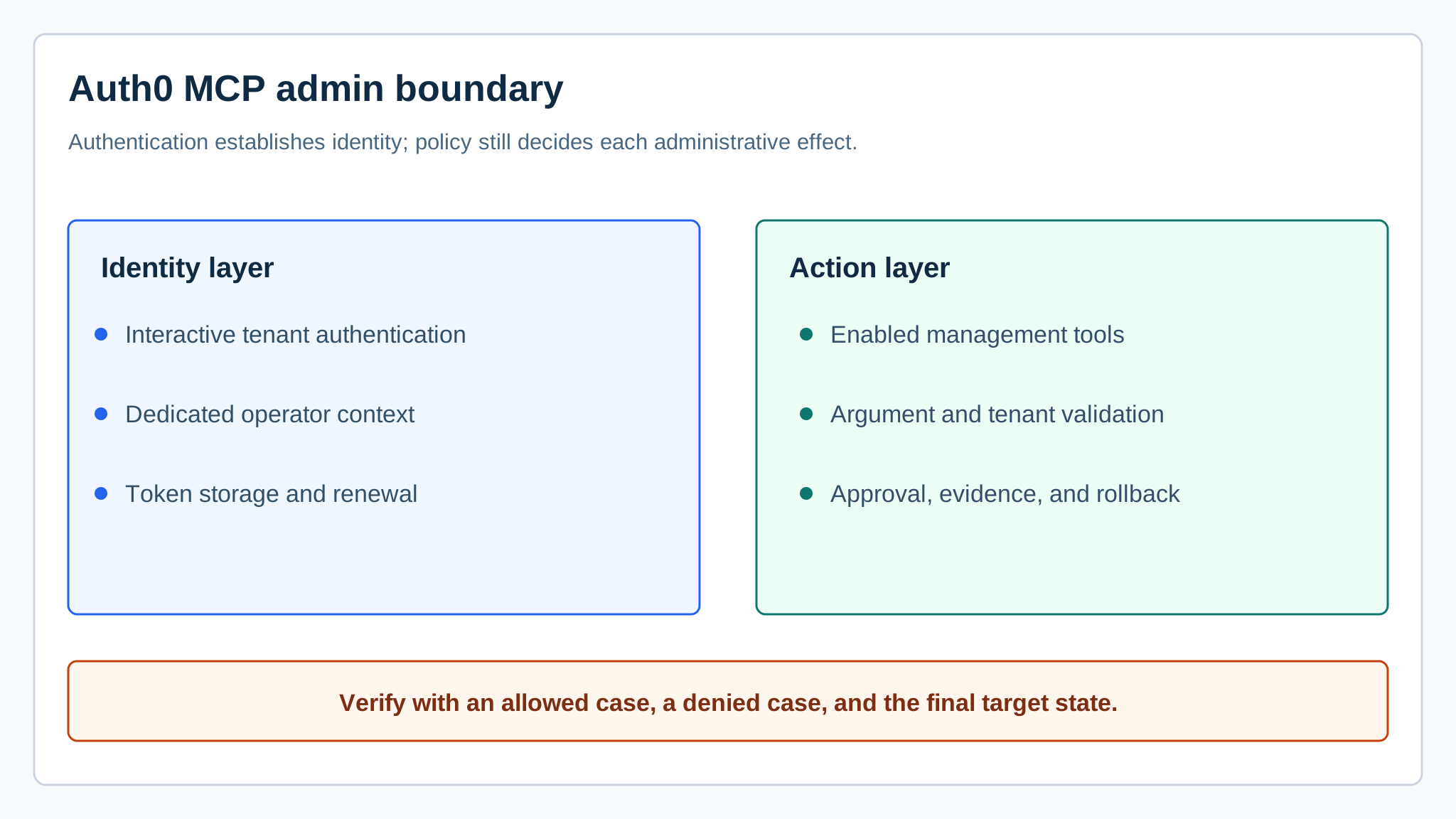
Auth0 documents interactive tenant authentication and credential handling for its MCP server. Those controls reduce the need to paste long-lived management credentials into a client. They do not answer whether a particular operator should run a particular administrative tool with these arguments.
Record the MCP client, server version, selected Auth0 tenant, operator identity, granted scopes, enabled tools, token location, and approval rules. The MCP server security guide helps separate server admission from per-action authorization.
Use a dedicated tenant and identity for the pilot
Start in a test tenant or with a disposable application. Use an identity that cannot reach production tenants and remove management scopes that the initial tool set does not need. Then test an allowed read, a denied cross-tenant request, and one reversible write.
Check the final Auth0 object after each test. An agent can report success or refusal incorrectly; the target state is the evidence. Retain the normalized tool arguments and Auth0 response so a reviewer can distinguish a policy denial from an API failure.
Repeat the write after removing one required scope and after switching the selected tenant. Both cases should fail without leaving a partial object or reusable approval. These tests expose whether tenant and scope checks live at the real action boundary.
Keep the tool set smaller than the API surface
Auth0's Management API covers many administrative operations. Do not enable every available MCP tool merely because the identity can authenticate. Group tools by consequence: read tenant configuration, inspect logs, create a disposable object, change a production application, or deploy executable logic.
The MCP authorization specification defines an OAuth-based protocol option. Deployment policy still needs tenant and argument rules. A valid access token should not authorize an agent to choose any callback URL, connection, client secret handling pattern, or production target.

Treat generated configuration as untrusted input
An AI client may compose application settings or action code from user text and retrieved documentation. Validate those values before the MCP call. Reject unexpected domains, secret-like values in logs or descriptions, excessive scopes, and changes outside the approved object.
Use MCP security scanners to inspect the installed server and its dependencies. Repeat admission review when the package source, version, lockfile, or tool schemas change. This catches component risk; it does not decide whether a live tenant change is appropriate.
Design recovery before enabling writes
A production pilot needs a way to restore the last approved application configuration. Capture a redacted before-state, expected diff, approval identity, and after-state. If a write goes outside the planned diff, disable the tool, revoke the test token, restore the object, and preserve the evidence before retrying.
The Model Context Protocol leaves security responsibilities across the host, client, and server implementation. Assign an owner to each layer. The Auth0 administrator should not assume that the AI client validates arguments, and the client owner should not assume that Auth0 business policy follows from login.
Where AgentGuard fits
AgentGuard can add component review and selected action checks where the MCP client path is supported. A policy can reject a known tenant, tool, or argument pattern before execution. AgentGuard does not replace Auth0 authentication, Management API scopes, tenant policy, secret storage, or rollback procedures.
Verdict
Auth0 MCP Server is a practical administrative interface when a team uses a dedicated identity, a narrow tool set, and target-state verification. The dangerous setup is a broadly privileged operator token attached to a client with many write tools and no recoverable change record.
Open AgentGuard to inspect a supported MCP component before enabling it in an administrative workflow.
Frequently Asked Questions
What can the Auth0 MCP Server do?
Its documented tools connect compatible AI clients to Auth0 Management API workflows such as inspecting tenant data and performing supported administrative tasks.
Does interactive authentication make every tool call safe?
No. Authentication establishes identity. Authorization and policy still need to constrain the tenant, tool, arguments, data scope, and side effect for each call.
How should teams pilot the Auth0 MCP Server?
Use a test tenant or disposable object, a dedicated least-privilege identity, a small tool allowlist, and explicit approval for state-changing actions.
What should be logged?
Retain the client, server version, operator identity, tenant, selected tool, normalized arguments, approval decision, Auth0 result, and final target state.
Test one Auth0 admin action with a disposable tenant object before enabling broader tools.
Test admin access