
LiteLLM MCP Security Review: Gateway Control Comes With a Wider Blast Radius
LiteLLM can centralize MCP access through an AI gateway. The same central position concentrates credentials, routing, and policy risk.
By Agent Guard Team4 min read

LiteLLM MCP Security Review: Gateway Control Comes With a Wider Blast Radius
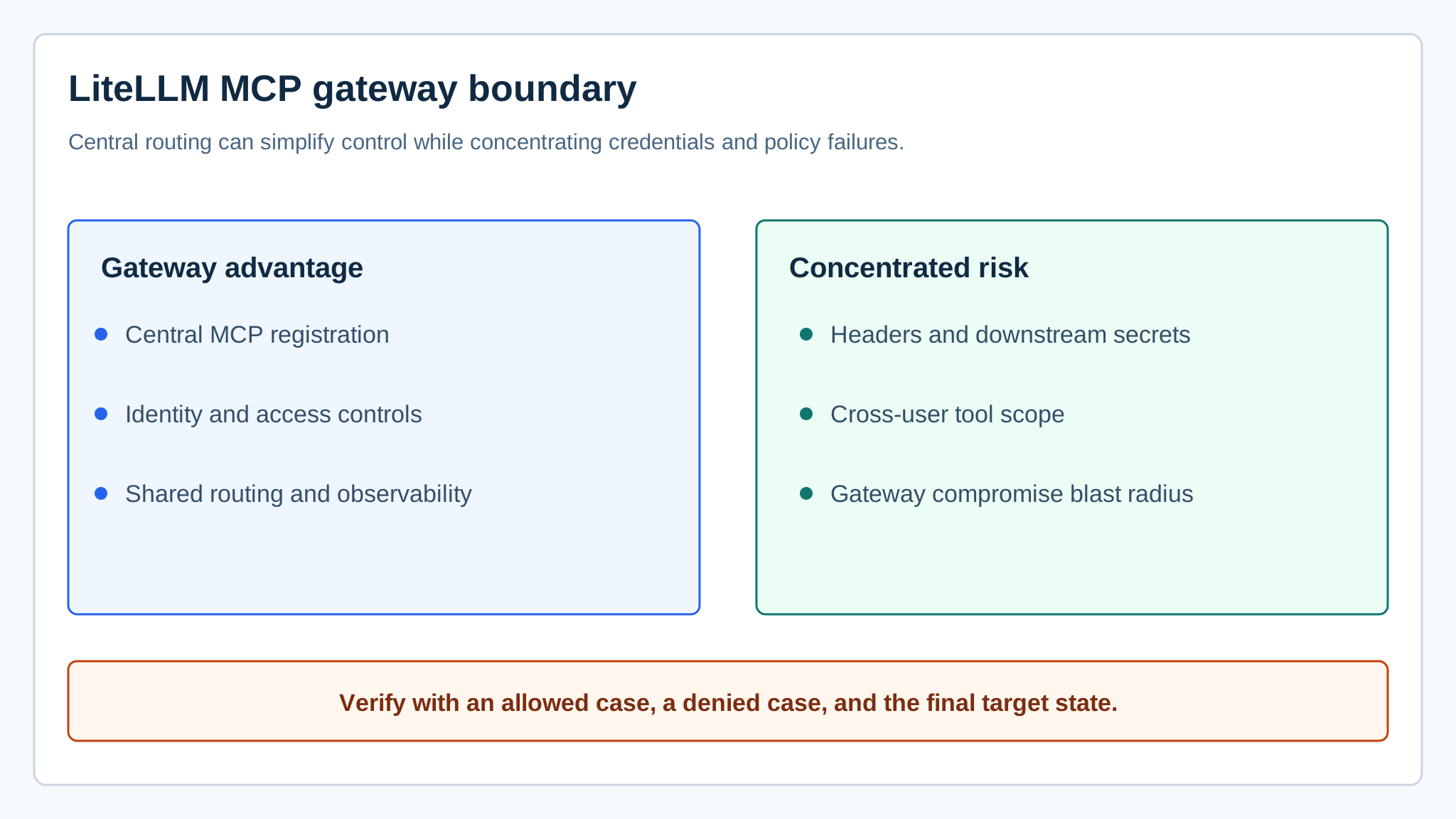
LiteLLM can put MCP servers behind an AI gateway, giving teams one place to register servers, manage access, forward selected headers, and observe traffic. Centralization is useful. It also means one gateway configuration can influence several clients, identities, credentials, and downstream tools.
This desk review relies on current public documentation and published security analysis. It does not claim an independent benchmark or complete assessment of a configured LiteLLM environment.
What LiteLLM adds to the MCP path
LiteLLM's MCP documentation describes server registration, OpenAPI conversion, OAuth, end-user access controls, and header forwarding. Those features can replace scattered client configuration with a shared control point. They also put more trust in the gateway's code, policy, secret storage, and tenant separation.
Draw the full path: user, client, LiteLLM identity, gateway policy, selected MCP server, forwarded headers, downstream credential, tool arguments, and final target. The MCP server security guide provides a practical inventory for that chain.
Verify end-user identity at the tool boundary
A gateway-level API key may identify an application without identifying the human or workload behind one tool call. Preserve end-user or workload context in a signed, validated form. Do not trust a free-text user identifier supplied by the model.
Test two users with different access. A request allowed for one should fail for the other even when both reach the same gateway and MCP server. Check the downstream target and logs, not just the LiteLLM response.
Also test an identity that has been disabled while a session or cached token still exists. The gateway should reject the call or force revalidation, and the downstream server should not receive a request under stale authority.

Forward fewer headers
Header forwarding can carry tenant or authorization context to a server. It can also leak gateway credentials or unrelated session data. Use an allowlist of required headers and rewrite values where the downstream trust model differs. Never forward every incoming header by default.
Run a canary test with a synthetic credential in an unrelated header. Confirm that it is absent from the downstream request, logs, traces, and model-visible tool result. If it appears anywhere, narrow the forwarding rule before adding more servers.
Component integrity matters more at a shared gateway
A widely deployed gateway sits near many model credentials and tool routes. The Cloud Security Alliance's LiteLLM MCP injection research note is a reminder to treat gateway vulnerabilities as high-impact operational events. Verify the affected versions and vendor guidance for any cited issue rather than assuming a headline applies to every deployment.
Use MCP security scanners to review the gateway package, MCP components, dependencies, and changes before admission. Pin versions, verify the source, stage updates, and maintain a rollback. Component review is one layer; live action authorization remains separate.
Apply policy to normalized tool calls
Registering a server or limiting which users can see it is too coarse for consequential tools. Normalize each proposal into server, tool, caller, tenant, destination, arguments, data class, and expected effect. Evaluate that object before forwarding the request.
The Model Context Protocol standardizes discovery and invocation, while implementation policy stays local. A useful test includes an allowed baseline, a cross-tenant query, a prohibited destination, and a state-changing action without approval.
Where AgentGuard fits
AgentGuard can scan MCP components and apply selected pre-action policies where the LiteLLM or client integration is supported. That can add an admission record and a separate decision near a risky tool call. It does not replace LiteLLM authentication, end-user access controls, patching, secret management, downstream authorization, or incident response.
Verdict
LiteLLM is attractive when a team needs centralized MCP routing and already knows how to operate a shared gateway. The security benefit appears only when identity survives the route, forwarded context is minimal, tool arguments are constrained, and gateway updates are treated as production security changes.
Open AgentGuard to review a supported MCP component and record its admission decision.
Frequently Asked Questions
What MCP controls does LiteLLM document?
LiteLLM documents MCP server registration, OAuth options, end-user access controls, header forwarding, and gateway-mediated access to MCP tools.
Why can a gateway increase MCP risk?
A gateway can concentrate credentials, server registrations, routing, and policy. A configuration or software failure may therefore affect several clients or downstream tools.
Should custom headers be forwarded to an MCP server?
Only explicitly approved headers should be forwarded. Strip unrelated credentials and tenant context, then verify what the downstream server actually receives.
Where does AgentGuard add value?
AgentGuard can review MCP components and enforce selected action rules on supported integrations. It does not replace LiteLLM access controls, secret management, patching, or downstream authorization.
Inspect one LiteLLM MCP route from client identity to downstream tool effect.
Inspect the route