
Claude Code vs Gemini CLI
A workstation-focused Claude Code versus Gemini CLI comparison with a shared restricted task and evidence checklist for both installations.
By Agent Guard Team4 min read
Claude Code vs Gemini CLI
Both Claude Code and Gemini CLI run close to the workstation, so the shared CLI label is not the decision. The differences that matter are the configured project context, credentials, shell permission, network reach, MCP setup, and approval prompts in the installation a team will operate.
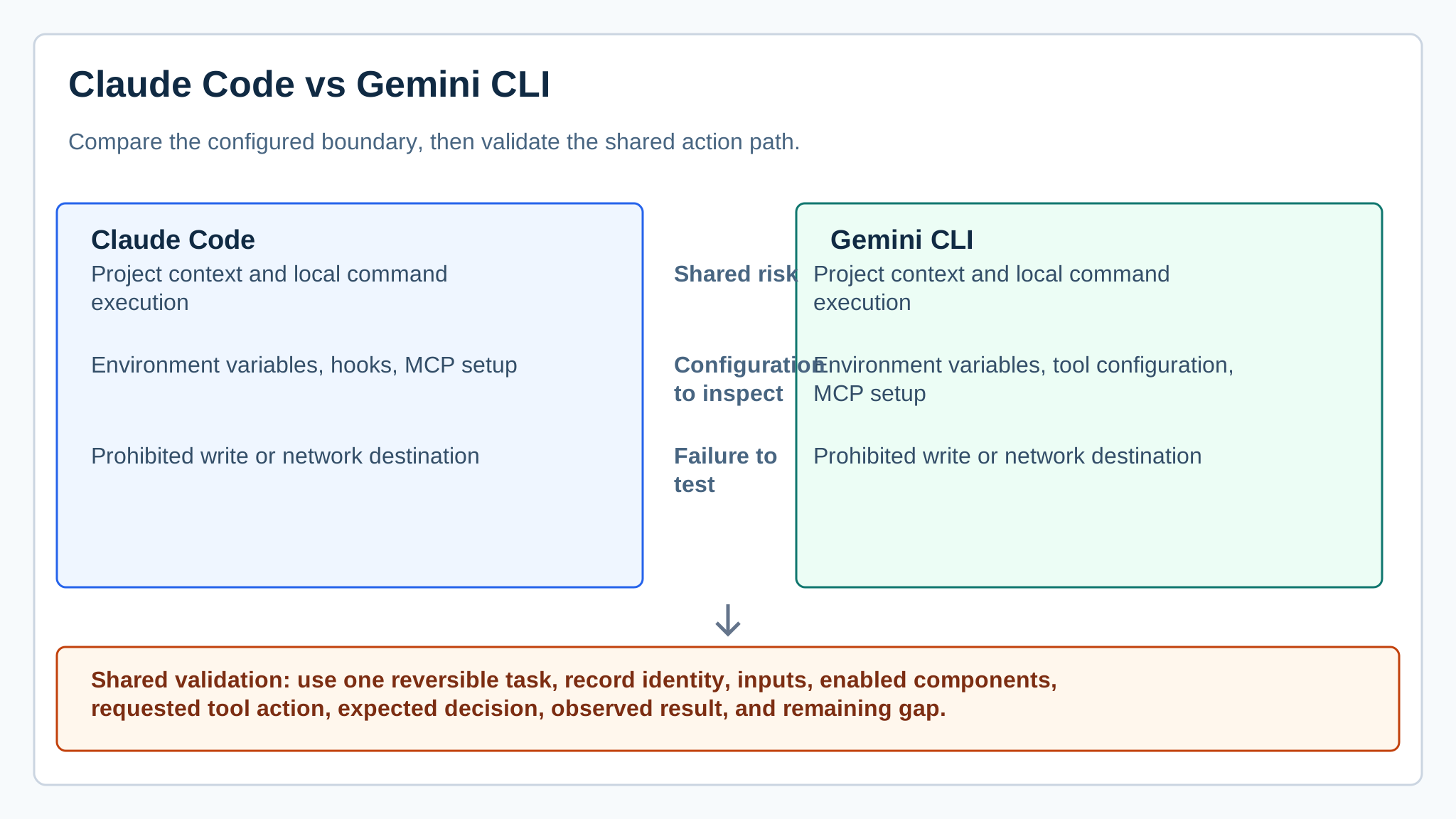
*Workstation map for two command-line agents with separately configured project and tool boundaries.*
The short answer
Treat the workstation as part of the comparison. The AI agent security guide gives the fields to record before a model is allowed to read a repository or call a system tool.
Both official product documents describe command-line developer workflows, but their installation and configuration paths remain product-specific. The secure comparison is therefore a workstation test: record the actual version, project trust state, credentials, tool permissions, and approval prompts for each CLI.
Gemini CLI's open-source configuration and authentication path need their own inspection. Test its sandbox or approval settings, project configuration, and network behavior beside Claude Code, using the same restricted directory and synthetic credential rather than assuming shared CLI safeguards. The cited references are Claude Code documentation and Gemini CLI documentation.
For this CLI comparison, the developer or endpoint owner should attest to each installation's credentials, project trust settings, tool configuration, and approval behavior.
What changes at the boundary
| Question | Claude Code | Gemini CLI |
|---|---|---|
| Shared risk | Project context and local command execution | Project context and local command execution |
| Configuration to inspect | Environment variables, hooks, MCP setup | Environment variables, tool configuration, MCP setup |
| Failure to test | Prohibited write or network destination | Prohibited write or network destination |
When Claude Code is the better fit
Claude Code is the better fit where its documented workflow, configured permissions, and existing developer controls can be demonstrated in the team's environment. A useful test includes a command that should be refused or require approval, not just a coding prompt.
Claude Code should not be credited with a control simply because a setting exists in documentation. Verify its effective state in the account, terminal, and repository context where the agent will run, including whether a denied action leaves a usable record.
When Gemini CLI is the better fit
Gemini CLI is the better fit only after its own installed configuration passes that same environmental test. Inspect how project files, credentials, and shell actions are exposed before treating output quality as the deciding factor. The MCP security tools page is relevant when either CLI registers servers.
Gemini CLI needs the same evidence, with its own configuration and extension surface. Do not transfer permission assumptions from Claude Code to Gemini CLI; reproduce the restricted file and network cases after installation.
AgentGuard can supply a separate documented layer for component scanning and selected pre-action decisions near a supported local agent path. It is not evidence that every CLI command, host, or third-party runtime is covered.
The meaningful comparison is repeatability under a restricted environment. A CLI that produces a good patch but leaves no record of a denied command is harder to govern than one whose permission behavior can be reproduced.
A test that makes the decision clearer
Create a sandbox project with a synthetic secret, a read-only directory, and an unauthorized network endpoint. Run one task through each CLI, then retain prompts, environment setup, requested approvals, tool attempts, and files changed. A new plugin or server belongs in the agent dependency pollution record.
Decision guide
Use the CLI whose installed boundary your team can reproduce, observe, and recover from under the same restricted conditions.
If the pilot exposes an unowned supported action, book a CLI boundary test against the same restricted project.
Frequently Asked Questions
What matters more than output quality in a Claude Code versus Gemini CLI test?
Record the installed version, project trust state, credentials, writable paths, network access, tool configuration, and approval behavior for each CLI.
Can the two CLIs share the same security assumptions?
No. Reproduce the same restricted file and network cases after each installation instead of transferring a setting or safeguard from one product to the other.
What evidence should the CLI comparison retain?
Keep the setup, prompts, requested approvals, commands, changed files, denied actions, and recovery steps from the same disposable project.
Run both CLIs inside the same restricted project before comparing output quality.
Compare the CLIs