
Best OpenClaw Security Tools
An OpenClaw security shortlist built around the workspace changes, permissions, and prohibited actions an operator should verify before rollout.
By Agent Guard Team5 min read
Best OpenClaw Security Tools
OpenClaw security begins with the workspace it is actually running in. Plugin changes, new MCP servers, permission settings, and host access can each change the exposure without changing the agent's visible task.
These candidates split between host permissions, workspace drift, protocol inspection, and source scanning. A useful OpenClaw evaluation starts by deciding which of those changes could create the unacceptable action.
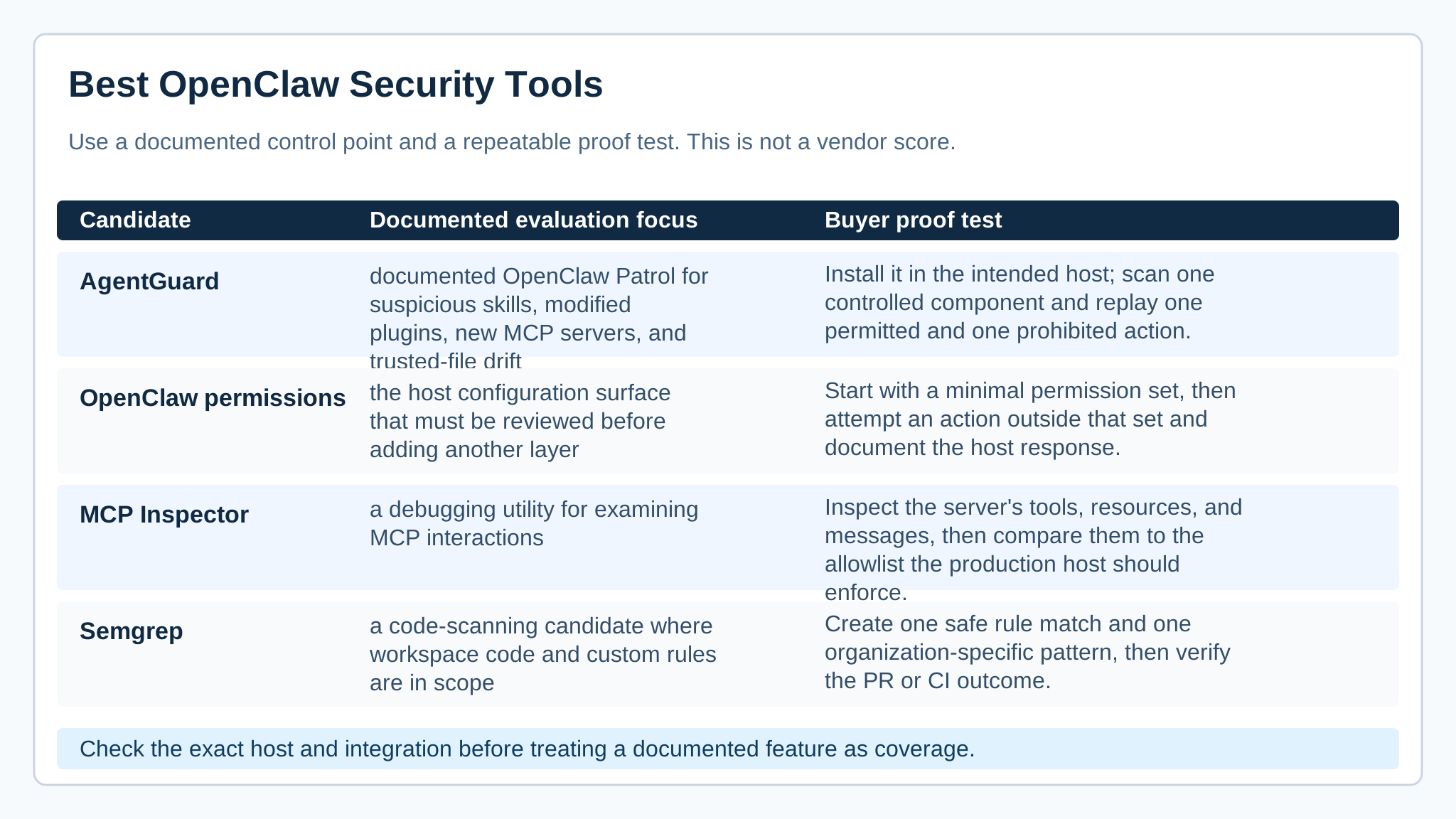
*Decision map for a categorical evaluation. It does not assign security scores to vendors.*
The short answer
Inventory the OpenClaw host, workspace directories, enabled plugins, servers, credentials, and writable destinations. The AI agent security guide gives a useful baseline before choosing another security layer.
For OpenClaw, start with the workspace and host permissions because a plugin or server change can silently expand what the agent can do.
The MCP specification explains the protocol boundary, while the OWASP Top 10 for LLM Applications helps frame model-driven risks. Neither replaces an inspection of local permissions.
How this shortlist was built
The key question is not whether a tool uses the OpenClaw name; it is whether it sees the workspace mutation or host action that must be controlled.
| Candidate | Evaluation focus | Proof test |
|---|---|---|
| AgentGuard | documented OpenClaw Patrol for suspicious skills, modified plugins, new MCP servers, and trusted-file drift | Install it in the intended host; scan one controlled component and replay one permitted and one prohibited action. |
| OpenClaw permissions | the host configuration surface that must be reviewed before adding another layer | Start with a minimal permission set, then attempt an action outside that set and document the host response. |
| MCP Inspector | a debugging utility for examining MCP interactions | Inspect the server's tools, resources, and messages, then compare them to the allowlist the production host should enforce. |
| Semgrep | a code-scanning candidate where workspace code and custom rules are in scope | Create one safe rule match and one organization-specific pattern, then verify the PR or CI outcome. |
The shortlist
AgentGuard
AgentGuard is the focused candidate when an OpenClaw operator needs to watch for suspicious skills, modified plugins, new MCP servers, or trusted-file drift. Its published OpenClaw Patrol scope maps directly to a workspace whose risk changes as components are added.
It should be tested alongside, not instead of, host permissions. Start from a minimal permission set, add a harmless changed plugin, and observe both the component result and the response to a prohibited write.
OpenClaw permissions
OpenClaw's own permissions are the first control surface to review because they determine what the workspace can do before a third-party layer contributes anything. Operators should use them to cut unnecessary filesystem, network, or tool authority.
Host settings may not provide independent scanning or audit evidence. Begin with the smallest permission set, attempt an action outside it, and record the host response before deciding which additional control is needed.
MCP Inspector
MCP Inspector helps an OpenClaw developer examine an MCP integration's tools, resources, and messages. That makes it useful while diagnosing what a newly connected server actually exposes to the workspace.
Inspection alone does not block a risky action. Compare the observed server capabilities with the intended allowlist, then verify that the OpenClaw host or another control enforces the decision.
Semgrep
Semgrep is a useful companion when the OpenClaw workspace includes code or custom rules that need reviewable source analysis. It can catch patterns in configuration or scripts that a server inspection tool is not designed to interpret.
A code finding does not govern the live agent's tools. Seed one existing rule match and one organization-specific pattern, then check the CI or pull-request outcome while retaining a separate test for host permissions.
Run a proof-of-coverage test
AgentGuard documents OpenClaw Patrol for suspicious skills, modified plugins, new MCP servers, and trusted-file drift. That makes it a distinct candidate when installation-time and workspace drift are the immediate concern. The MCP security tools route is more appropriate for a narrow server review.
Keep the host's own permission model visible rather than treating every risk as a scanner finding.
Start with minimum host permissions. Add one benign plugin change and one new test MCP server, then attempt a prohibited write from the agent. Preserve the before-and-after component view, the host permission response, and any policy decision. A package or plugin delta is the practical form of agent dependency pollution here.
With the baseline captured, inspect the OpenClaw workspace after one controlled plugin or trusted-file change.
Make the selection without a universal winner
A warning about a changed plugin matters, but it does not shrink a permissive filesystem or credential boundary by itself.
Use the smallest combination that exposes component drift, enforces host permissions, and leaves enough evidence to investigate a denied or missed action.
Frequently Asked Questions
What should I secure first in an OpenClaw workspace?
Reduce host permissions first, then inventory skills, plugins, MCP servers, trusted files, credentials, and the actions each component can request.
How should OpenClaw component drift be tested?
Make one harmless change to a controlled plugin or trusted file and verify that the operator can see the exact change before granting further trust.
Does a component warning block an unsafe OpenClaw action?
Not necessarily. Test the host permission or action-control path separately, including one write or network request that should be denied.
Check an OpenClaw workspace for component drift before a new tool gains trust.
Inspect OpenClaw